Skip to Content
Medart Engine University
  • Home
  • Repower Resource (Login Required)
  • Repower Request
  • Access Request
  • ​ 0
  • +1 800.888.7181
  • English (US) Español (América Latina)
  • Sign in
  • Contact Us
Medart Engine University
  • ​ 0
    • Home
    • Repower Resource (Login Required)
    • Repower Request
    • Access Request
  • +1 800.888.7181
  • English (US) Español (América Latina)
  • Sign in
  • Contact Us
  1. Courses
  2. How to Check Trouble Codes - Kohler EFI
  3. How to Check Trouble Codes- Kohler EFI using software diagnostic tool
Nav
Home └How to Check Trouble Codes - Kohler EFI └How to Check Trouble Codes- Kohler EFI using software diagnostic tool

How to Check Trouble Codes - Kohler EFI

0 %

Completed

Course content
  • Uncategorized
    • How to Check Trouble Codes- Kohler EFI using software diagnostic tool 10 xp
      • Quiz

How to Check Trouble Codes- Kohler EFI using software diagnostic tool

10 XP
Prev Next
Fullscreen Share

SBD/MTD Site Access

Login , Create users, 
Request a Contract Account


If you don't have access to MTDTech.com

Apply Here

black android smartphone displaying green and black logo

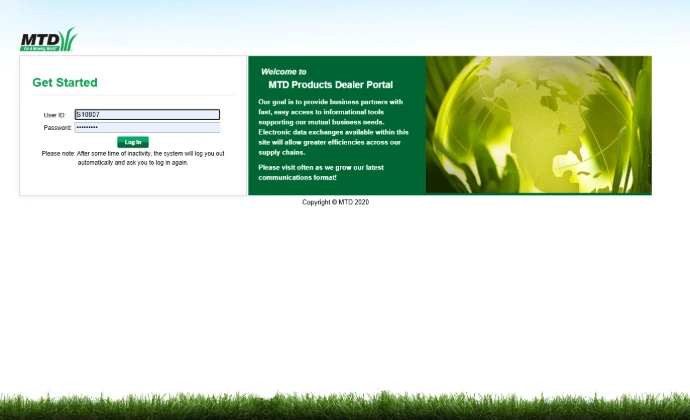
Log in to the Site 


Use your SBD account number and password.  This will get you access to parts lookup/order, warranty services, and Service advisories. 
Create Users 


It is a best practice to never do things as the Super user.

We recommend you create users and allow access as needed for each team mate.  

Request Assistance 


Send us a request for assistance 

  • Warranties
  • Service/Diagnostics
  • SRT and Specifications
  • More...
black metal tool lot

SBD/MTD Common Site Actions

Do and Learn Things 

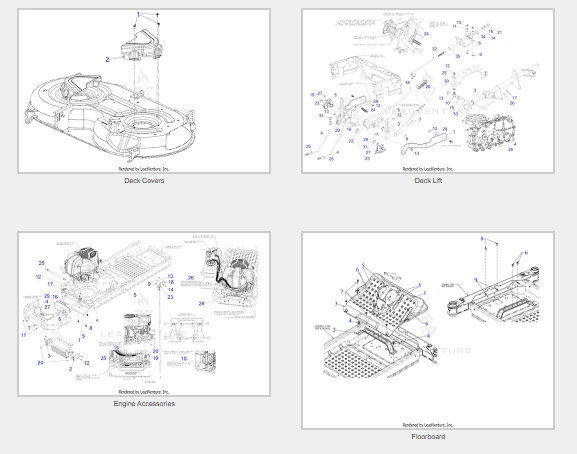
Lookup Parts


 See OEM notes and settings
Search The Service Support site 


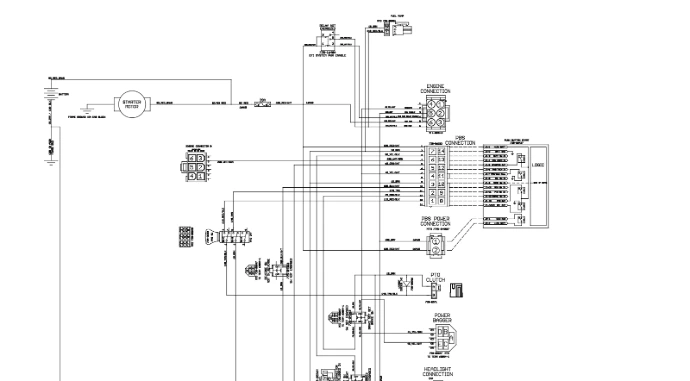
Look for new bulletins, manuals, and yes, even that sneaky electrical diagram for a  Lithium-ion
Find Resources


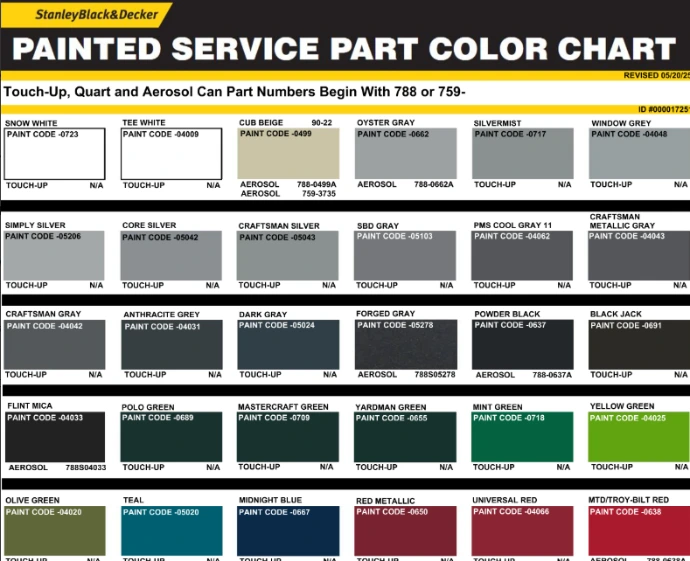
Service Manuals, SRT (Standard Repair Times) , Paint codes, and much more available. 

Share Your Wisdom


As the eyes and ears of the industry  you maintain our collective Legacy.

Share what you know Here

a man smiling and leaning on a car
  • About
  • Comments (0)
Rating
0 0

There are no comments for now.

Join this Course
to be the first to leave a comment.

1. What powers up the Bluetooth diagnostic device?
A separate 9V battery Turning the ignition key to the 'on' position Starting the engine and running it at high RPM Plugging the phone into the device via USB
2. How do you visually confirm the diagnostic device is receiving power?
A green light on the engine's dashboard An LED light on the Bluetooth device itself The phone vibrates three times The fuel injectors make a clicking sound
3. If the app does not automatically identify your engine, what is the required step?
Manually select the specific engine model from a list Restart the phone and reinstall the app Type in the engine's serial number manually Unplug the battery for ten seconds
4. What is indicated by a "Current" trouble code?
A fault that happened in the past but is now fixed An active problem that the ECU currently detects A problem that only happens when the engine is hot A code that was generated during the manufacturing process
5. In the video, what happened to the O2 sensor code once the sensor was plugged back in?
It disappeared completely from the screen It changed from a Current code to a Historic code It triggered a secondary fuel pump error It turned red to indicate a critical failure
6. Does a trouble code for a specific component always mean that component is broken?
Yes, the computer is 100% accurate No, it points to a circuit area that requires further testing
7. What extra resource is often built into these diagnostic programs to help with repairs?
A link to a local dealership map Component-specific wiring diagrams and testing procedures A chat window to talk to other mechanics A digital copy of the owner's manual
8. What are "learn codes" (like 0174 or 0172) usually related to?
Battery voltage levels Fuel system adaptations and limits The hours since the last oil change Bluetooth signal interference
9. Why might a "Clear Code" button fail to permanently remove a code?
The app version is outdated The underlying physical problem has not been repaired The phone is too far away from the engine The engine oil is too low
10. What tool is used to navigate the diagnostic app in the video?
A specialized laptop with a serial cable A Bluetooth-enabled smartphone or tablet (iOS/Android) A handheld OBDII scanner from an auto parts store The engine's built-in LCD screen
Click on "Edit" in the right panel to replace this with your own HTML code

Drop a Line, Ask a Question, Give a Suggestion

Thank you for being  a part of our community of professionals asking good questions, sharing knowledge and best practices, and enjoying the problem-solving process. 

Submitting this form will create a note for my Service/ Education task list. I will do my best to sort and filter this input to benefit the community appropriately with the resources Medart has allocated.  If you need immediate an response please email me at jmueller@medartinc.com . 

Best, 

     Joseph Mueller 


Submit
Copyright © Medart Engine University 2026
English (US) | Español (América Latina)
Powered by Odoo - Create a free website